AI Taking Over Manual PDF Processes in Universities Without Much Notice
Visit a university anytime now and you’ll find that many people are still working on their PDFs, whether it be assignments, notes, scanned papers, or project reports. However, there is one thing that has become different, but not in an obvious manner.The processing of these files isn’t entirely manual anymore.In a subtle way, the use of AI to replace manual processes in handling PDFs has begun.Most students haven’t noticed anything yet.
1. Old Ways: Manual Workflow for Creating PDF Files
A student used to follow this routine:
- Scanned handwritten notes with a phone camera
-
Uploaded the file into an editor
-
Rotated the scanned content manually
-
Renamed the documents and organized them
-
Text extraction from PDF involved retyping
File compression before submissionAll these activities took up lots of time and energy.And this is even the case with simple stuff, like PDF merging or turning pages.Imagine that for several assignments.
2. The Shift: AI Takes Over Repetitive Tasks
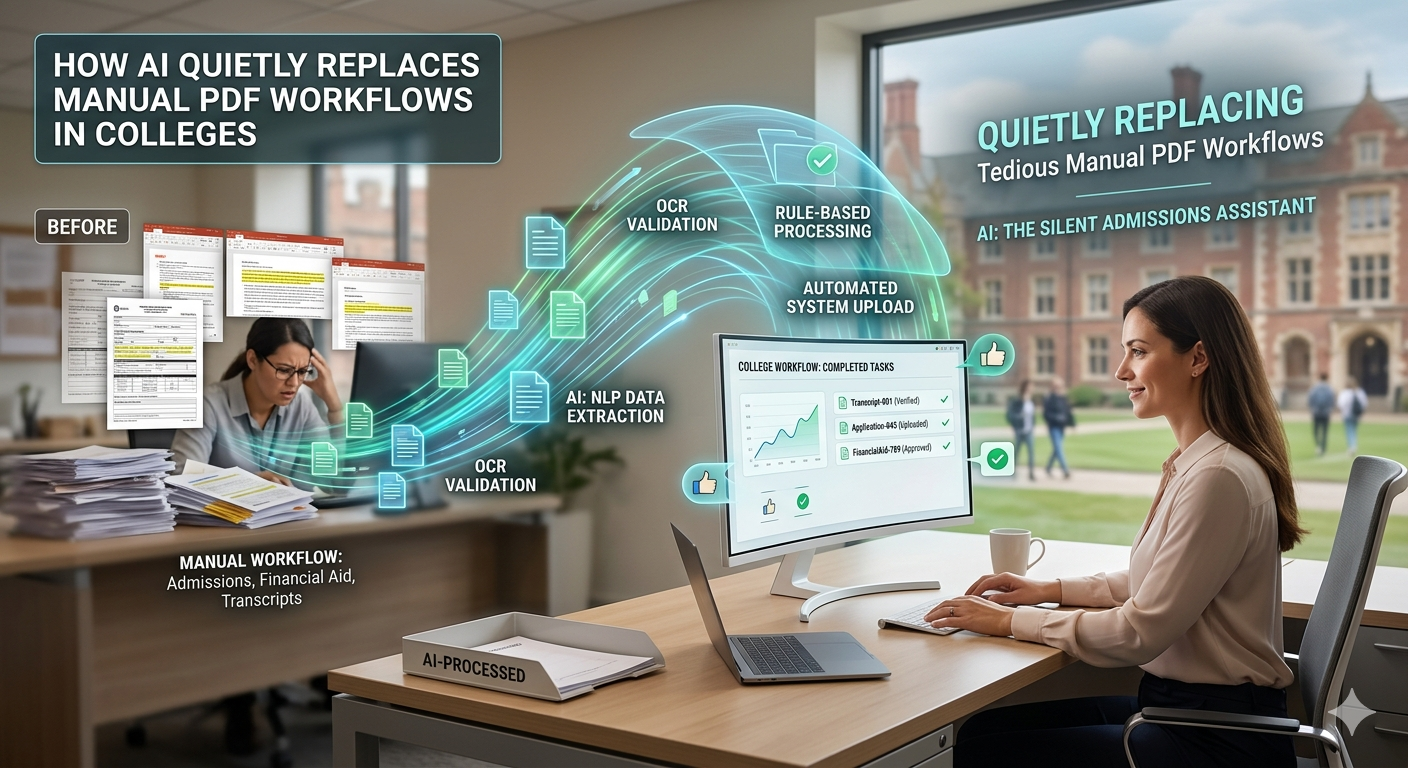
And now comes the fun part.Today’s applications are not just “PDF editors.” They’re smart helpers.
What can artificial intelligence do now?
- It can recognize text in scans (OCR).
-
It can auto-correct page orientation.
-
It can detect document structure.
-
It can extract relevant information.
-
It can suggest revisions or summaries.
In other words, you no longer need to perform manual labor yourself.
Services such as oncepdf.com have embraced this trend by embedding advanced processing functions right into the browser – no installation, no uploading needed.
3. OCR – One of the First Great Advances
One of the earliest innovations in AI technology for processing PDF files is Optical Character Recognition (OCR).
Prior to OCR:
- Students would need to type out their notes manually
-
It was not possible to copy text from PDF files
-
Editing PDF files could be difficult
Today:
- Text is automatically recognized
-
PDF files can be searched
-
Information can be easily copied
OCR technology allows platforms such as oncepdf.com to convert PDF files into searchable and editable documents.
4. Smart Automation: Little Things Make a Difference
AI technology isn’t always a major player. It is often in little details where the difference lies. Examples include:
1. Auto-Rotation and Fixing
AI technology will detect issues such as:
- Page rotation problems
-
Cropping of image edges
-
Improper page orientation
2. Smart Compression
AI technology will take into account factors like:
- Image quality
-
Readability of text
-
Optimal file size reduction
3. Smart Document Splitting
With AI, document splitting according to logic is much easier to achieve.This is how the website oncepdf.com implements AI into routine operations.
4. Combining AI with Browser-Based Software: The Ideal Blend
One question to ponder:
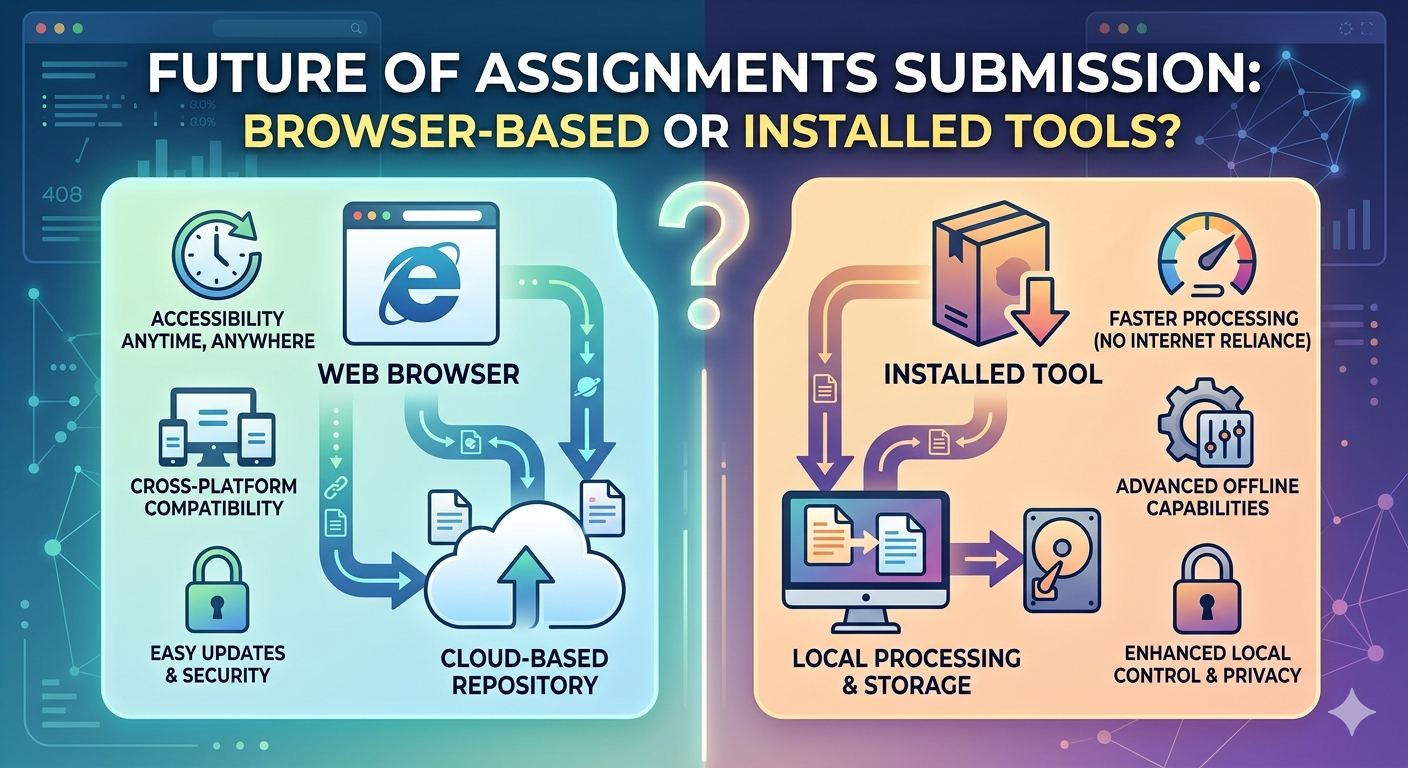
Why is AI being adopted more quickly in browser-based solutions than in installed software?
And here is why:
Real-Time Upgrades
Browser-based applications can upgrade AI algorithms without downloading any updates. Low-Load Performance. There is no bulky software to deal with; just use it right away. On-device Processing (for certain applications)
Web platforms such as oncepdf.com operate on your device, which means that:
- Results come quicker
-
Enhanced security
-
Cloud transfers are not necessary
5. Privacy – an Important but Ignored Problem
AI technologies pose threats to user privacy – and this is right.
For example, most platforms:
- Upload files to the server
-
Temporarily store user data
-
Process files
This poses a serious problem, considering that users work with:
- Personal data
-
Learning assignments
-
Important documents
On the other hand, services such as oncepdf.com use another approach to ensure privacy:
- All files remain local
-
There is no need to upload files to external resources
-
File processing occurs on the device
6. Cognitive Load Reduction: Think Less, Do More
One of the main benefits of AI is not only speed but mental freedom.
Manual processes involve making endless decisions:
- Which program to use
-
How to format things correctly
-
How to get information from the file
AI cuts down on all that:
- Upload
-
Process
-
Download
7. Real-world Scenarios of Student Usage (AI Adds Value Here!)
Consider some real-world examples:
- Assignment Submission
-
Compress bulky PDFs immediately
-
Combine several files into one
-
Automatically correct scanned documents
-
Notes Transcription
-
Transcribe handwritten notes to text format
-
Enable searchability of content
-
Collaborative Assignments
-
Combine several documents together
-
Ensure uniformity in formatting
-
Exam Prep
-
Rapid extraction of essential content
-
Manage study materials
Here, AI significantly cuts down time and effort for students. OncePDF was designed specifically keeping these requirements in mind.
8. Is There a Need to Retire Manual Workflow Systems?
Certainly not. Manual systems are necessary in situations involving:
- Sophisticated editing
-
Heavily designed documents
-
Specific formatting requirements
However, let us face some realities:
Student assignments rarely demand such sophistication
They need:
- Fast results
-
Accurate results
-
Simple processes
AI provides all three in spades.
9. Limitations of AI in PDF Processing
To remain grounded and realistic:
AI isn’t flawless.
The following are some of its limitations:
- OCR mistakes due to poor scan quality
-
Incorrect identification of layout type
-
Reliance on device efficiency
Even systems like oncepdf.com might encounter such situations, but then again, for regular academic purposes, the AI is quite reliable.
10. The Big Picture: A Silent Revolution
It all may seem rather quiet and subtle at the moment. There won’t be any big changes in the tools you use. The old ways will never completely disappear.
The transformation is taking place gradually:
- Faster processing of tasks
-
Simpler interface
-
Effort being minimized silently
AI isn’t replacing students; it’s replacing repetitive processes.
11. Relevance for the Future
With advances in AI, the future holds the promise of:
- Complete automation of document preparation
-
Instantaneous assignment feedback
-
More intelligent document management
-
Improved accessibility for everyone
Platforms such as oncepdf.com are already pioneering this trend through the integration of:
- AI functionality
-
Local computing power
-
Privacy-centric architecture
Accessibility
These features will probably be the hallmarks of the next generation of academic software.
Conclusion
While it seems like artificial intelligence has not taken over the processes of college life—well, it has. Where before there were several stages, tools, and decisions involved in a single process, things have started getting simplified into one single seamless process. But who are the biggest beneficiaries of this change? Students! This means less time wasted on formatting, more focus on studying, and less hassle while submitting assignments.
Websites such as oncepdf.com are among those playing a role in bringing about this change—without the help of complex and complicated artificial intelligence features!