While exams are approaching, it’s not only about revision. Notes from various resources get accumulated:
- Printed papers
-
Screenshot images
-
PowerPoint presentation slides from class
-
PDFs sent by tutors
-
Images from WhatsApp or e-mails
And soon enough, you’re getting confused.
Then the following question arises:
How can I collect all my notes in one neat file in PDF format?
This might seem to be an easy task, but lots of students fail here producing chaotic, incomprehensible, or just wrong documents. Here comes our step-by-step guide to collecting all of your notes. The Importance of Creating a Consolidated PDF File of Your Notes
Before we dive into how to create a consolidated PDF file of your notes, it is essential to know why.
Creating a consolidated PDF file allows you to:
- Study efficiently without changing tabs on different documents
-
Keep a coherent flow of topics
-
Save yourself from getting confused while revising
-
Easily share your notes with fellow students
-
Ensure that nothing is missed out
Simply put, efficient organization leads to efficient revision.
Why It Is Important to Combine Your Notes into a Single PDF ?
Now that we’ve talked about why it is so important to combine your notes into a single PDF, let us talk about how you can do it.
The first step towards doing this would be ensuring that you have all your lecture notes.
Common Mistake Made by Students
Most students make the wrong move.
They:
- Combine files haphazardly
-
Forget about the sequence
-
Neglect formatting
-
Employ various unreliable apps
Effect:
An untidy PDF file that is even more difficult to study than their individual notes. Thus, it’s not just about combining but doing it right.
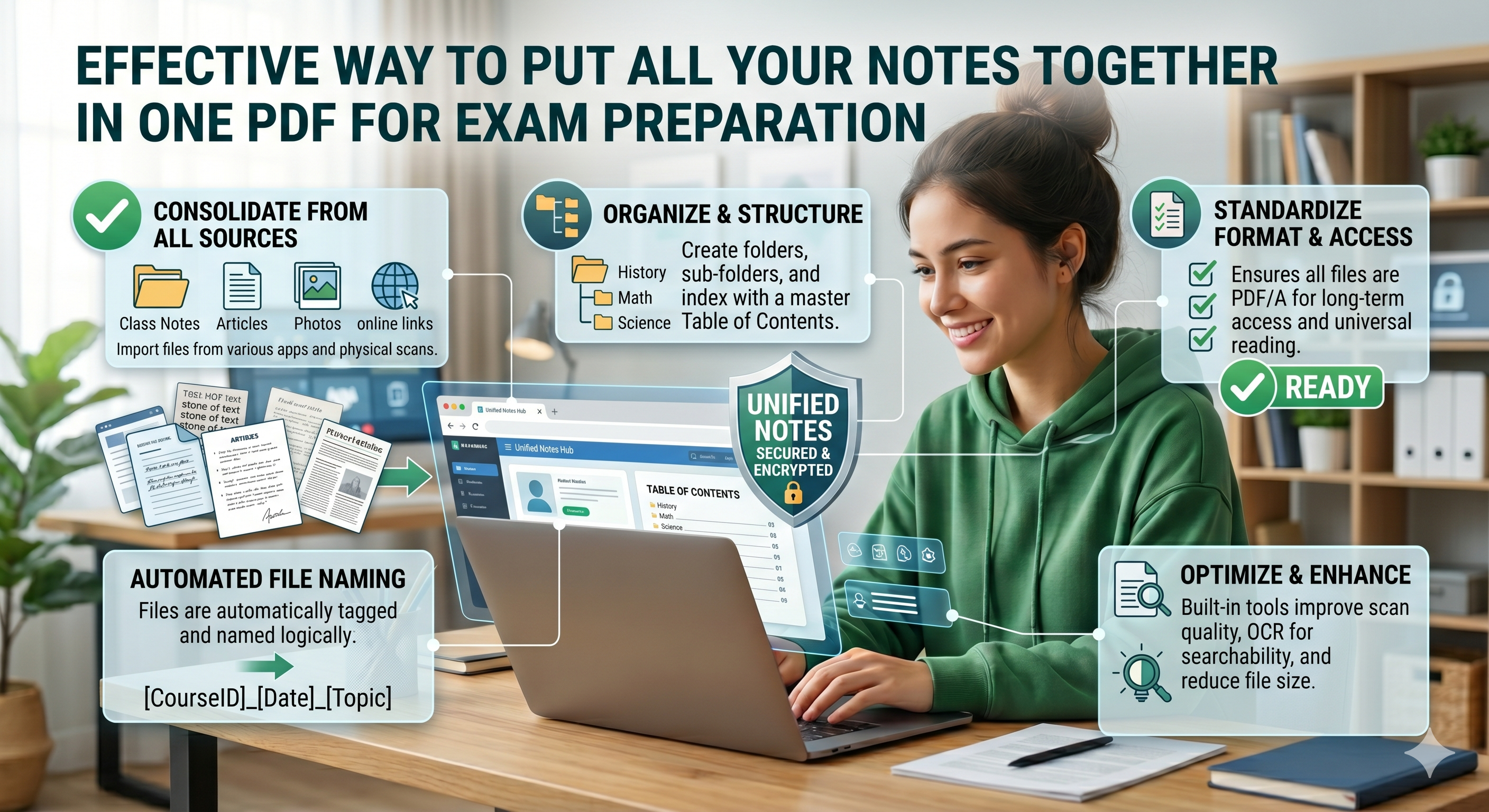
Step 1: Gather All Your Resources First
Prior to combining anything, gather all your resources in one place.
These may include:
- Scanned notes (handwritten)
-
PDF files already saved
-
Photos/images (JPG/PNG)
-
Screen captures
-
Course documents
-
A Must-Know Point:
Don’t begin merging straight away
Rather, make folders such as:
- Unit 1
-
Unit 2
-
Key questions
Step 2: Convert All to PDF Format
You may have your notes in various formats.
For example, you could have:
- Pictures
-
Microsoft Word documents
-
PowerPoint presentations
All of these should be converted to PDF format prior to consolidation.
Relevance of this Step:
-
Ensures uniformity
-
Eliminates any potential for errors while consolidating
Using an online converter such as oncepdf.com , you can easily convert all formats to PDF without any installation required.
Step 3: Cleaning Up Each Document Individually
Where most students skip ahead and later wish they hadn’t.
For individual correction before merging the files together, check for:
- Blurry scans
-
Scans with cropped corners
-
Incorrect orientation
-
Unnecessary blank pages
To correct:
-
Pages need rotating
-
Clarification to improve clarity
-
Unwanted pages should be removed
A good quality final document requires individual corrections first
Oncepdf.com can assist in correcting scans and rotating pages at once.
Step 4: Arranging Notes Logically
This is the most crucial part:
- Arrangement of notes logically
-
Do not just combine them randomly.
Always remember:
- Arrangement based on topics
-
Arrangement chronologically
-
Arrangement for easy revision
-
Example Arrangement:
-
Definition
-
Concept
-
Examples
-
Questions to be answered
Step 5: Combine Multiple Files Into One PDF
It’s time to combine.
With a reliable tool like oncepdf.com you can:
- Combine multiple PDFs
-
Keep the right order
-
Prevent format errors
Why Should You Choose This Tool?
- Distort the format
-
Lower quality
-
Corrupt files
oncepdf.com guarantees:
- Accurate combining
-
Sound structure
-
Quality output
Step 6: Reduce PDF File Size (Without Compromising on Quality)
A merged PDF may end up being quite bulky.
In particular, if it includes:
- Graphics
-
Scanned documents
Issue:
-
Unmanageably large
-
Unwieldy
-
Heavy to transfer
Fix:
Compact your PDF—though cautiously.
- Excessive compression = illegible text
- No compression = bulky file
OncePDF strikes the right balance here.
Step 7: Make the Final Polishes
Before using your PDF, take a moment to review it.
Check for:
-
Page numbering
-
Missing pages
-
Legibility
-
Uniformity
Additional touches could include:
- Including page numbers
-
Section breaks
-
Important sections
With this step, your PDF becomes a study tool.
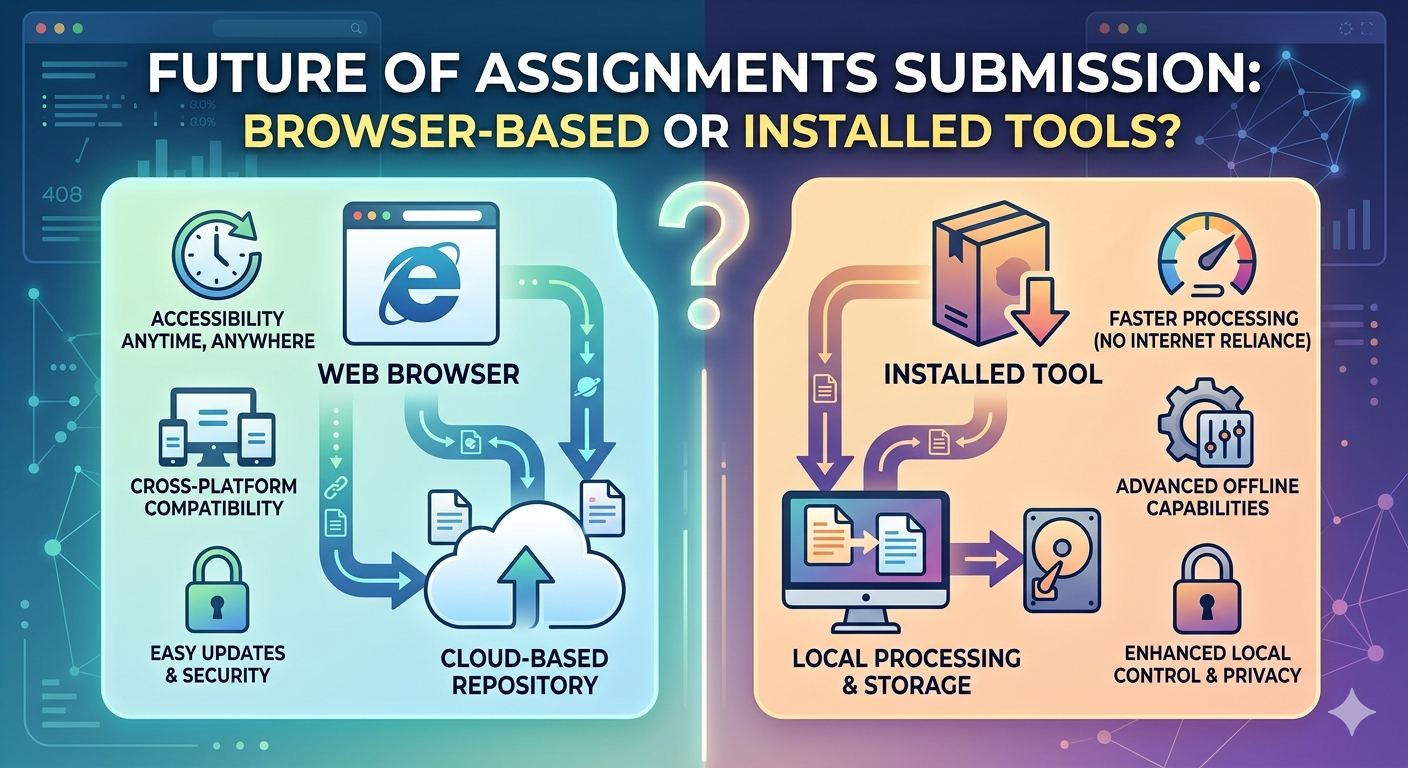
Why are Web Applications Preferable for the Job?
The truth is that when you’re a student, you have to deal with:
- Desktop Programs:
-
Setup required
-
Not accessible on all devices
-
Complex
-
Web Applications (e.g., oncepdf.com):
-
Immediate use
-
No installation required
-
Works on any device
-
Fast and easy
And even more importantly:
oncepdf.com works directly in your browser
That implies:
- No need for uploading files
-
More privacy
-
Speed
Real Student Situation. Let us make this realistic for you.
Consider the following:
- 10 scanned handwritten pages
-
5 screen shots
-
2 PDFs from your professor
Lacking workflow:
Results to a messy file
By applying the appropriate strategy through oncepdf.com
- All conversions
-
Cleaning process
-
Logical organization
-
Merge all documents
-
File compression
Conclusion:
Single clean PDF for revisions. Common Errors to Steer Clear of When Collating Notes
Let us briefly outline some common errors:
- Failing to collate without organizing
- Neglecting page sequence
- Employing several ineffective instruments
- Compressing notes excessively
- Disregarding the final check
This makes a world of difference.
The Big Idea: Structured Is More Important Than Piles of Information
Students think:
More information = better preparation
It isn’t always the case, though.
Here's what really matters:
- The organization of your information
-
How easy it is to revise it
One PDF can be more effective than lots of individual files. Relevance of This
During Exam Time. Time is always short during exam days.
One does not need to spend time in:
- Scanning multiple files
-
Moving between different applications
-
Sorting out disorganized notes
A consolidated PDF will help in:
- Quick access to information
-
Focus on studies
-
Efficient revision process
Conclusion
Creating one PDF from multiple notes is not only a process, but it is a learning strategy as well. It will help students in saving:
- Time
-
Stress
-
Enhance their understanding
However, it requires some systematic approach for making a consolidated PDF.
OncePDF allows students to convert and organize their notes in one application which includes:
- Converting
-
Cleaning
-
Organizing
-
Merging
-
Compressing
Everything done online without any kind of installations and total control over their documents.