The act of uploading a file seems straightforward enough. Drag the file over, drop it where needed, wait for a little bit, and then download the end product. It seems like such an easy thing to do that most users fail to consider all the work being done under the hood.
The truth, however, is quite different:
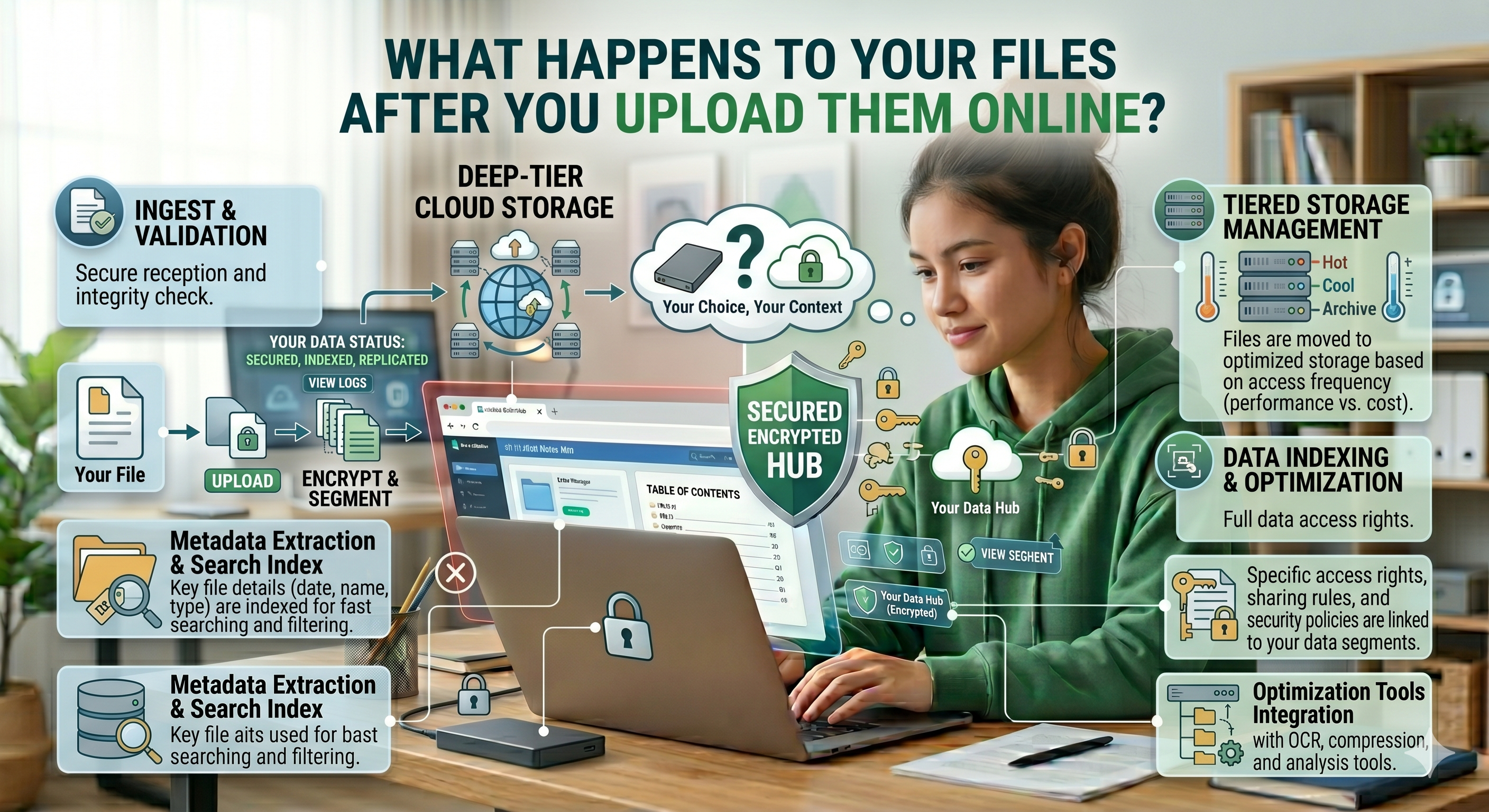
Uploading a file is not simply one task, but rather the start of a hidden process A process that entails more than what most users know. Let’s take a moment and examine what really happens once you’ve uploaded your file.
Simplicity Is An Illusion
As seen by the end-user, there’s no effort involved in sending a file. The presence of a progress bar and perhaps an animation that signifies loading means the job will be done.
However, behind the scenes, the second the button to send the file is pressed, the file undergoes a process.
It travels from the computer, through network paths, lands on a distant server, and is processed.
What appears to be simplicity is nothing but a series of technical activities
Step One: Your File Travels From Your Device
What's the first thing that happens?
Your file gets divided into little packets of information and transmitted across the internet to a server. If the platform is using encryption protocols like HTTPS, then your data will be protected through the process of being transmitted. That's great news – but not the whole story.
Why? Because once the file reaches its destination, protecting it in transit stops being an issue.
What matters now is what happens next?
Step Two: Your File Hits the Server
After uploading your file, it is processed by a server managed or owned by the company whose service you are using.
The server:
- Receives your file
-
Stages it
-
Processes it
Your file is out of your hands at this point. It lives in a space that you cannot access or audit. Some companies openly explain what happens next. Some do not. And there lies the mystery.
Step 3: The Processing Commences
It’s time for action to take place now.
If you are:
- Reducing a PDF file
-
Converting a document
-
Combining documents
Your file will be processed by the server.
This could include:
- Scripts
-
Software engines
-
Artificial intelligence systems
During this stage, your file is undergoing processing and not simply being kept. Your file is opened, analyzed, and edited. But according to the platform, this process differs.
Step Four: Temporary Storage
Almost all online applications say:
"We delete your files after processing"
But how long is “temporary”?
Temporary storage could be:
- For a few seconds
-
For several minutes
-
Or even for hours
Some times:
- Files are temporarily cached for better performance
-
There might be logs for debugging
-
Even backups could exist
The actual time frame and processes are never clear to the user.
Step Five: File Output and Download
After processing, a new file will be produced by the system. You download the new file, and at your end, you are finished.
However, there is one thing that needs to be pondered upon:
Has the old file been deleted totally?
You have no way of knowing that.
You only hope that:
- The platform deletes it
-
There are no copies left
-
Nothing is stored
Metadata and Logs: The Hidden Layer
Even when the file itself is deleted, there can be other evidence.
Computers usually log:
- Size of the file
-
Date and time it was uploaded
-
Information about the device used
-
Logs from processing
They might not be problematic—but they are data related to your activity.
Sometimes, even the PDF files have metadata that includes:
- Name of the author
-
Software used to create it
-
History of edits
Where Problems Can Arise
Be realistic—some things might not go as planned.
1. Weak Server Security
In case of a vulnerable server, stored files might become susceptible to theft.
2. Incorrect Configuration
Improper configuration might lead to unintentional access to files.
3. Long-Term Data Storage
Files might be stored for a longer period than anticipated.
4. Outsourcing Services
Some platforms may employ third-party services in file handling.
5. Limited Transparency
Not all users are aware of what goes on under the hood.
Although not a daily occurrence, these can happen. And that’s more than enough reason for concern regarding critical files.
Why Most People Do Not Give This a Second Thought
Since nothing appears to be going wrong.
- Files are uploaded
-
Results are received
-
Nothing seems amiss
Users think that all is well. However, no visible issues do not mean privacy is assured.
Transition into Privacy-Consciousness
In recent times, users are becoming increasingly conscious of their privacy when asking questions such as:
- What happens to my data?
-
Who will be able to see my data?
-
How long will it remain in storage?
It is subtle but significant. Individuals are slowly coming to understand that convenience must never supersede their ability to control their data. Another Method: Files Not Uploaded Elsewhere.Here comes another solution. Some technologies offer the ability to process files locally—right from your device.
This process is called:
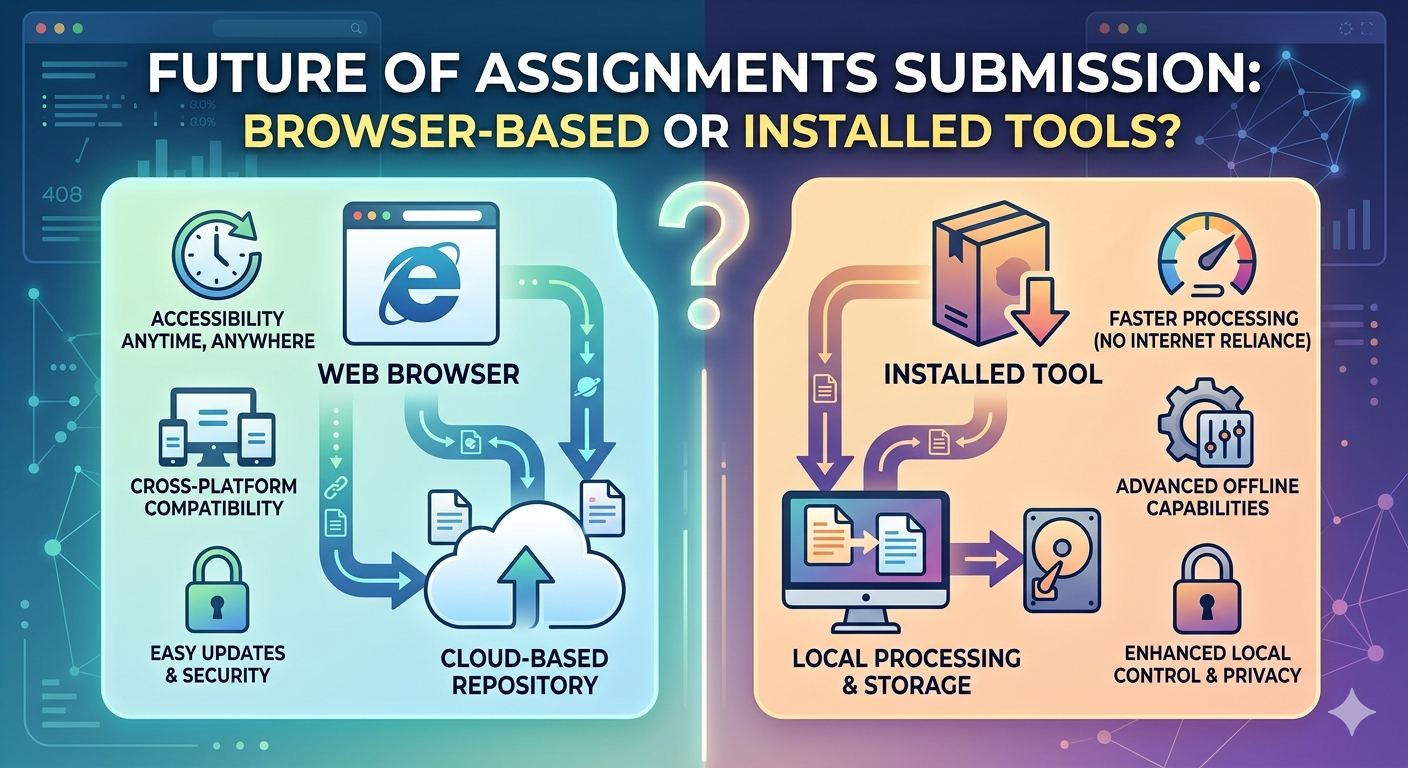
Local Processing
Sites such as oncepdf.com utilize this technique.
Changes made by oncepdf.com to the Workflow
Using oncepdf.com , the whole flow changes dramatically:
- File not uploaded
-
Server not used
-
Processing not outsourced
All takes place directly within the browser.
File remains in its initial location - on your computer
Several stages are skipped during the conventional process:
- Risk-free transfer
-
Risk-free server storage
-
Risk-free removal
Why It Matters More Than You Think. On the surface, this may seem like a minor distinction.
However, it is entirely transformative of the whole notion of trust.
Because instead of:
“Trust the platform to deal with your information properly,”
It turns into:
“Have control of your information.”
Are All Uploaded Content Online Unsecured?
No—although one must be cautious.
Platforms such as:
- Employ good encryption
-
Maintain high security
-
Use proper protocols
The challenge comes in:
The users not knowing what platforms are reliable
Therefore, the best way out would not be avoiding uploading content, but:
Choosing carefully
The Big Picture: Control and Convenience. It is easy to upload files to the internet.
However, being convenient usually involves:
- Giving away some control.
-
Depending on external sources.
-
Dealing with uncertainties.
This is where local file processing services such as oncepdf.com come into play.
Conclusion
The next time you upload a file, remember the following:
This file is not only going somewhere but also joining an ecosystem you know little about
In most cases, everything will be alright. But knowing how the process works will help you make wiser decisions. It does not mean you should no longer use online software. Instead, you can opt for those that offer you more power. Web browsers based, private, and secure websites like oncepdf.com exemplify such a trend by enabling users to perform tasks with their files without having to transfer them. In a virtual environment where information flows non-stop, it might be reasonable to keep your files in your possession.