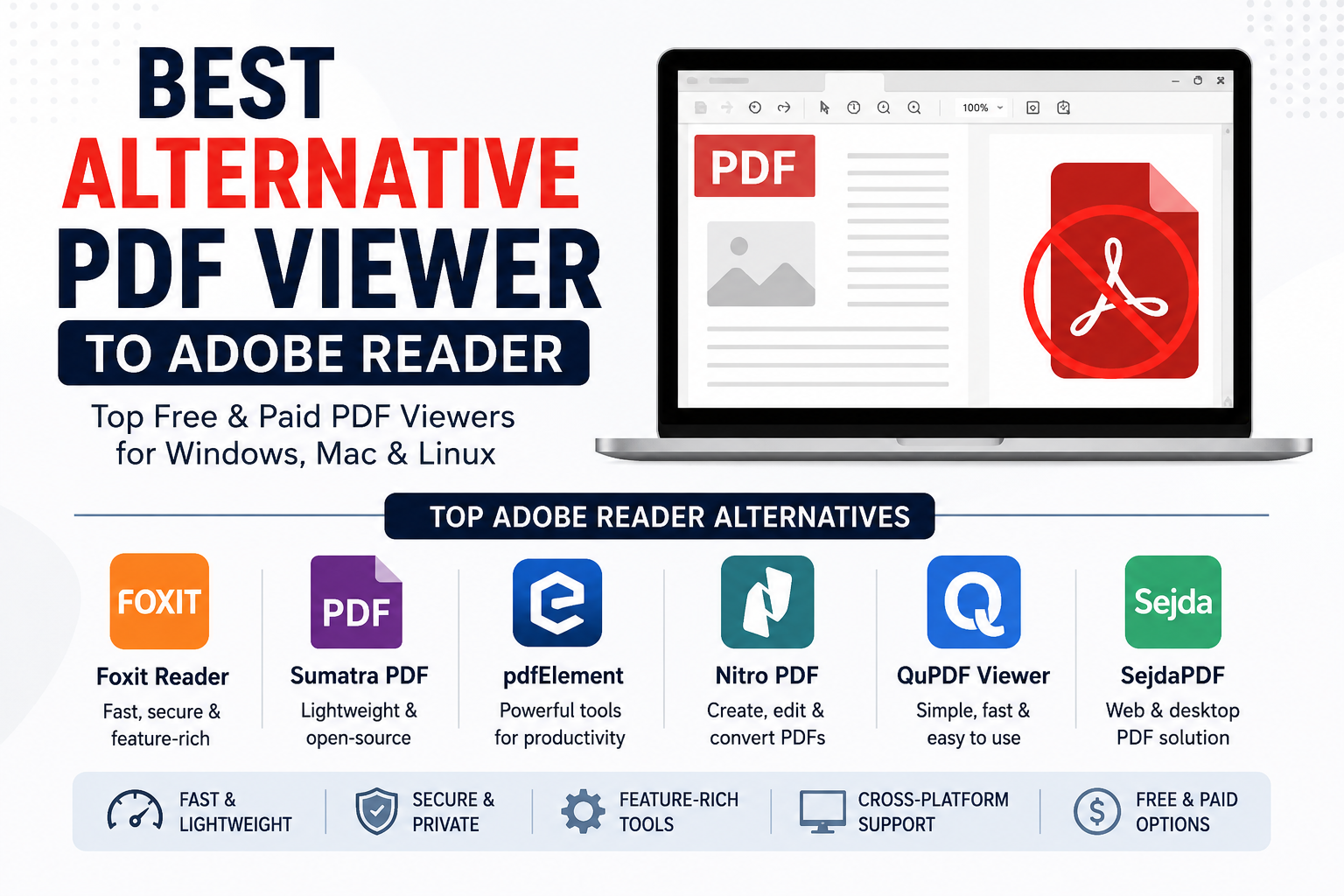
Best Adobe Reader Alternatives in 2026: Top PDF Viewers Compared
The conversation usually starts the same way.
Someone in an IT department gets an email from finance asking why opening a simple PDF now takes several seconds longer than it did six months ago. A few days later, security raises concerns about patch cycles. Then procurement notices another software renewal approaching. Nobody planned to review their PDF software that quarter, yet suddenly the discussion is happening. I've seen versions of this scenario more times than I can count. PDF software rarely gets attention when everything works. It becomes a topic only when something breaks, slows down, costs too much, or introduces risk. That's why the market for Adobe Reader alternatives looks very different in 2026 than it did just a few years ago. Most people assume PDF viewers are interchangeable. Open file. Read file. Print file. Done.
Reality tends to look different
A PDF viewer sits at the intersection of security, compliance, document workflows, digital signatures, cloud storage, browser integration, government submissions, and internal business processes. What appears to be a simple application often becomes part of a much larger operational system. I've reviewed enough deployments to notice a pattern. Organizations rarely replace Adobe because they hate Adobe. They replace it because their actual requirements changed.
The Hidden Problem Nobody Talks About
On paper, Adobe Reader remains perfectly capable for basic document viewing. The friction appears elsewhere. A procurement manager may only need employees to review invoices. A government contractor may need secure annotation tools. A legal office may require reliable redaction capabilities. A university may prioritize low-resource systems that can run efficiently across thousands of machines. Those are very different problems. Yet vendors often market PDF software as if every user needs the exact same feature set. That assumption creates unnecessary complexity. I've seen organizations pay for advanced document workflow capabilities that fewer than five percent of employees ever touched. Meanwhile, the departments that actually needed specialized functions were still purchasing separate tools. The irony is difficult to ignore. Sometimes the most expensive PDF platform ends up creating more software sprawl rather than less.
Foxit PDF Reader: The Enterprise Favorite
Among Adobe alternatives, Foxit continues to appear in procurement discussions. Not because it's dramatically better. Because it often checks enough boxes. That's an important distinction. Procurement teams rarely search for perfection. They search for acceptable risk. Foxit generally delivers familiar navigation, strong annotation tools, digital signature support, and enterprise deployment controls without forcing organizations into the exact ecosystem Adobe promotes. That matters more than marketing brochures suggest. What vendors rarely mention is that employee retraining costs can quietly exceed licensing savings. If users can move between systems without constantly opening support tickets, the migration becomes much easier to justify. Foxit has benefited from that reality.
PDF-XChange Editor: The Insider's Choice
Talk to regular office workers and many have never heard of PDF-XChange. Talk to power users and the reaction changes immediately. This software has developed a reputation among technical professionals for one simple reason. Efficiency. Files open quickly. The interface feels responsive. Annotation tools are surprisingly mature. I've encountered engineering firms still using it years after deployment because nobody found a compelling reason to replace it. That sounds simple. It's actually rare. Software usually accumulates complaints over time. PDF-XChange often survives because users stop thinking about it altogether. In software, being forgotten can be a compliment.
Sumatra PDF: Minimalism That Actually Means Something
Software vendors love talking about minimalism. Most of them don't actually practice it. Sumatra PDF does.
The application remains remarkably lightweight even by modern standards. It launches quickly, consumes minimal resources, and avoids clutter that many commercial products continue adding every year. This creates an interesting contradiction. For older systems, public sector environments, educational institutions, and users who simply want documents to open immediately, that approach still has value. Quite a lot of value, actually. The uncomfortable reality is that many users don't need fifty document tools. They need a PDF to open when they double-click it.
Why PDF Rendering Still Matters in 2026
Every element inside the file occupies its own space. Text, images, vectors, annotations, transparency effects, and embedded assets all interact before the final page appears on screen. The viewer has to reconstruct all of that correctly. A surprising number of people discover rendering differences only when something important breaks. Government forms are a common example. One viewer displays a form perfectly. Another shifts a field slightly. A third viewer handles transparency differently and suddenly a signature box becomes unreadable. That sounds like a minor issue until a submission deadline arrives. I've watched support teams spend hours investigating what ultimately turned out to be a rendering inconsistency. Nobody budgets for that problem. They still pay for it.
Browser-Based PDF Viewing Is Changing Expectations
Five years ago, dedicated desktop PDF applications dominated the conversation. Today, browsers handle a significant percentage of PDF viewing activity. That's changing user expectations. The challenge is that browser convenience sometimes conflicts with document control. Legal departments worry about version integrity. Compliance teams worry about storage locations. Security teams worry about exposure points. Users just want the document to open. Those incentives rarely align perfectly. And that's where software selection becomes complicated.
The Rise of Specialized PDF Workflows
Most executives discover this too late. The real competition isn't Adobe versus another PDF reader. The real competition is between workflow philosophies. Some products prioritize document review. Others focus on collaboration. Some focus on secure environments. Others focus on speed. The market has quietly shifted away from generic PDF viewing and toward specialized use cases. That shift explains why no single replacement dominates every industry. A construction firm evaluates documents differently than a law office. A university behaves differently than a healthcare provider. A government department faces constraints neither of them encounter. Looking for one universal winner usually leads to disappointment.
What Happens Next
The next battle probably won't be about opening PDFs. That problem was solved years ago. The tension is moving toward document trust, verification, collaboration controls, AI-assisted document analysis, and increasingly complex compliance requirements. Meanwhile, a growing number of users still judge PDF software using a much simpler standard.
Does it open quickly?
Does it display correctly?
Does it stay out of the way?
It's remarkable how often million-dollar software decisions eventually circle back to those three questions.
Conclusion
The companies that remember that may have a better chance of surviving the next round of document software disruption than the ones chasing every new feature that appears on a product roadmap.