Can You Store Video, Audio, and Images in a PDF File?
Complete Guide
A client once sent me a PDF that was nearly 300 MB. At first glance, it looked like a normal product catalog. Twenty pages. Some photographs. Nothing unusual. Then I opened it. Embedded videos started playing. Product demonstrations appeared inside the document. There were audio clips from customer testimonials. Interactive buttons jumped between sections. The file behaved more like a miniature website than a traditional PDF.
Most people still think PDFs are frozen sheets of digital paper. That idea was already outdated years ago.
The reality is that a PDF can store far more than text and images. I've reviewed enough document workflows to notice a pattern: users often underestimate what the format was designed to handle, while businesses frequently overestimate how reliably those advanced features will work across different devices. That's where the story gets interesting.
PDFs Were Never Just About Documents
Ask someone why PDFs exist and you'll usually hear the same answer.
"To preserve formatting." That's true, but only partially.
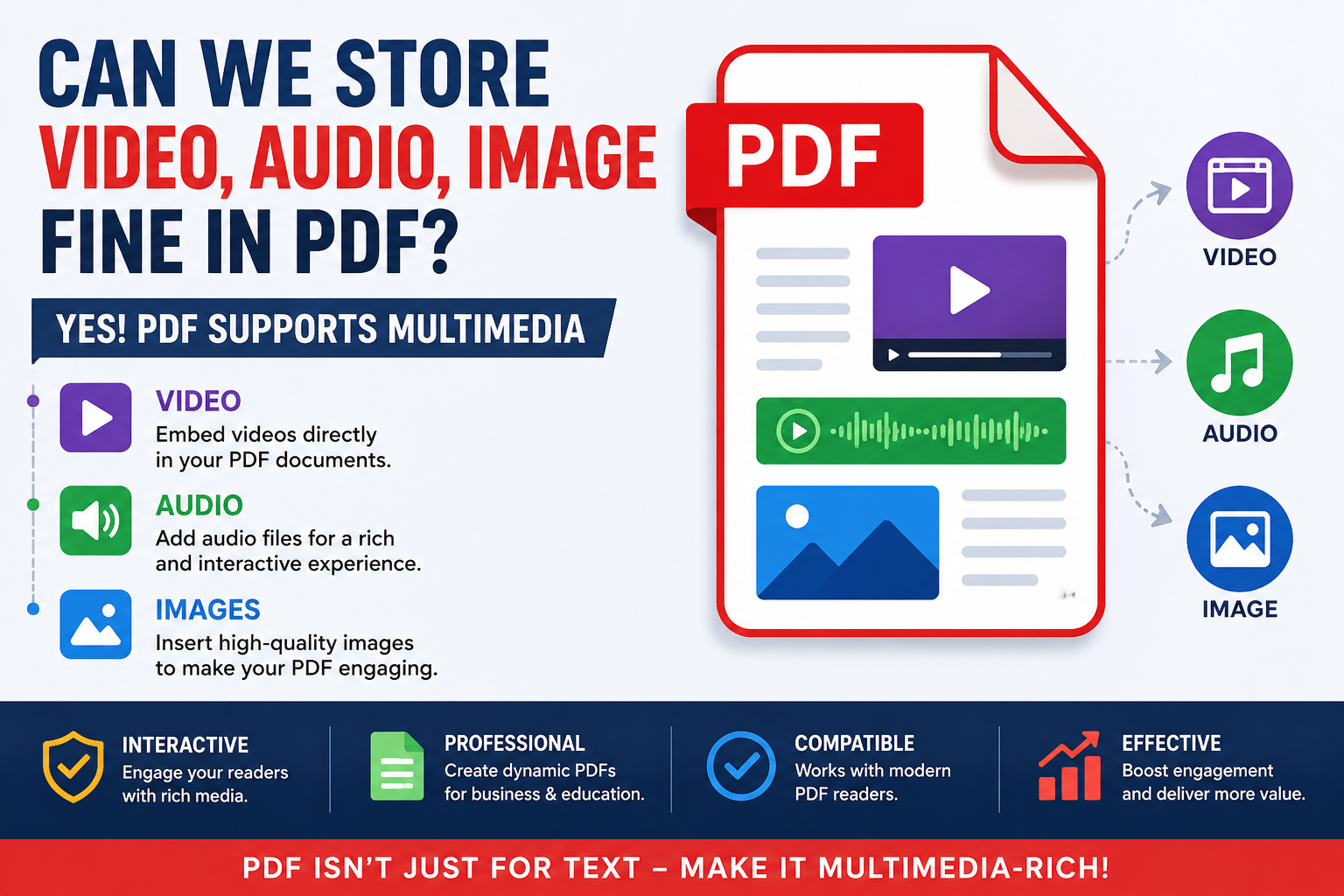
The PDF specification evolved into something much larger. What started as a method for displaying pages consistently became a container capable of holding multiple forms of content. Text, vector graphics, high-resolution photographs, hyperlinks, forms, scripts, embedded files, audio, and video can all exist inside a single PDF package.
On paper, that sounds impressive. Reality tends to look different. Many organizations discover that the ability to embed media and the ability to successfully deliver media are two very different things.
I've seen companies spend weeks building interactive PDF presentations only to learn that half their audience opens documents using viewers that ignore embedded multimedia completely. The file technically works. The audience never sees it.
Can Images Be Stored Inside a PDF?
Images are the easiest answer. Every PDF you've opened probably contains images already.
What most users don't realize is that the images aren't simply pasted onto pages. They're stored as separate assets within the document structure and then rendered when the PDF viewer opens the file. Think about a travel brochure.
The mountains, beaches, hotel photos, and maps aren't flattened into one giant screenshot. Each image remains an individual object that the PDF engine processes when displaying the page. This matters.
A poorly optimized image-heavy PDF can become enormous. I've encountered marketing brochures where high-resolution photographs inflated file sizes from a few megabytes to hundreds. Nobody noticed until customers started complaining that downloads were taking forever. What looks beautiful on a designer's workstation often becomes frustrating on slower internet connections. That's a lesson many teams learn the hard way.
What Actually Happens When You Add Images?
A lot of people assume a PDF stores images exactly like a JPEG folder. Not quite. Imagine placing printed photographs inside a binder.
Now imagine every photograph also includes notes explaining exactly where it should appear, how large it should be displayed, whether transparency exists around the edges, and how colors should be reproduced. Tactile brutalism, intentionally imperfect layouts, layered textures, and ultra-detailed product imagery all depend heavily on image handling. Many modern UI designers export presentation materials as PDFs because preserving visual fidelity matters more than reducing file size.
Then somebody emails a 150 MB document. The cycle repeats.
Can Audio Files Be Embedded in a PDF?
Yes. PDFs can contain audio files. The feature has existed for years, although relatively few users take advantage of it.
I've seen training manuals that include spoken instructions. Educational publishers sometimes embed pronunciation guides. Product documentation occasionally includes narrated demonstrations. The technology works. Compatibility is where things become complicated.
Older PDF viewers may support embedded audio. Newer lightweight browser viewers often ignore it. Mobile applications behave differently again. Most executives discover this too late.
Someone approves an interactive document because it functions perfectly during internal testing. Then customers open it using a browser-based PDF viewer and discover the audio controls don't appear. Suddenly the "interactive experience" disappears. Nobody planned for that.
The Hidden Problem With Embedded Audio
Storage isn't the challenge. Playback is. Audio files are usually small enough to fit comfortably inside PDFs without dramatically increasing file size. The bigger concern is user behavior.
Will users even realize the audio exists?
I've reviewed customer support feedback where users never clicked the playback button because they didn't expect a PDF to contain sound. That's an interesting contradiction. The more advanced a PDF becomes, the more it starts behaving like software. Yet users continue treating it like a document. Those expectations often collide.
Can Videos Be Stored in a PDF?
Absolutely. Videos can be embedded directly inside PDFs. Years ago, this was considered one of the most exciting PDF capabilities. Marketing departments loved it. Product teams loved it. Training organizations loved it. Then reality showed up. Video files are large.
Really large. A short demonstration clip can increase document size dramatically. I've seen product catalogs grow from 20 MB to more than 500 MB after a few embedded videos were added. The file looked impressive. Sending it became a nightmare. Email systems rejected it. Downloads slowed. Mobile users complained. Cloud storage quotas filled faster than expected. This creates an incentive nobody talks about.
Instead of embedding videos, many organizations now insert clickable links pointing to external video platforms. The experience isn't as seamless, but distribution becomes much easier.
Why Modern PDFs Sometimes Feel Like Websites
A modern PDF can contain navigation systems, multimedia, interactive forms, animations, attachments, and dynamic elements. At that point, calling it a "document" feels slightly inaccurate. It's more like a portable content container. That's particularly relevant in e-commerce.
High-fidelity product presentations increasingly combine images, video demonstrations, technical specifications, and downloadable resources inside a single package. Some manufacturers distribute PDF catalogs that function almost like offline websites. The irony is hard to ignore.
The more capabilities PDFs gain, the more dependent they become on viewer compatibility. Advanced features exist. Support remains inconsistent.
Should You Actually Store Video, Audio, and Images Inside a PDF?
That depends on what you're trying to achieve. Images are almost always worth including. They're universally supported and expected by users.
Audio can be useful when the audience is controlled and the viewing environment is predictable. Video deserves more caution. I've watched teams become obsessed with interactive features while ignoring practical distribution problems. The document looked incredible during presentations. It became frustrating the moment customers tried downloading it on real-world networks.
Conclusion
That's a recurring theme in document management. Technical capability doesn't automatically translate into practical value.
PDFs can absolutely store video, audio, and images. The specification allows it. Modern creation tools support it. Designers continue experimenting with it.
The harder question isn't whether you can embed multimedia into a PDF.
It's whether the people opening the file will experience it the way you intended.