How Does PDF Compression Reduce File Size Without Losing Quality?
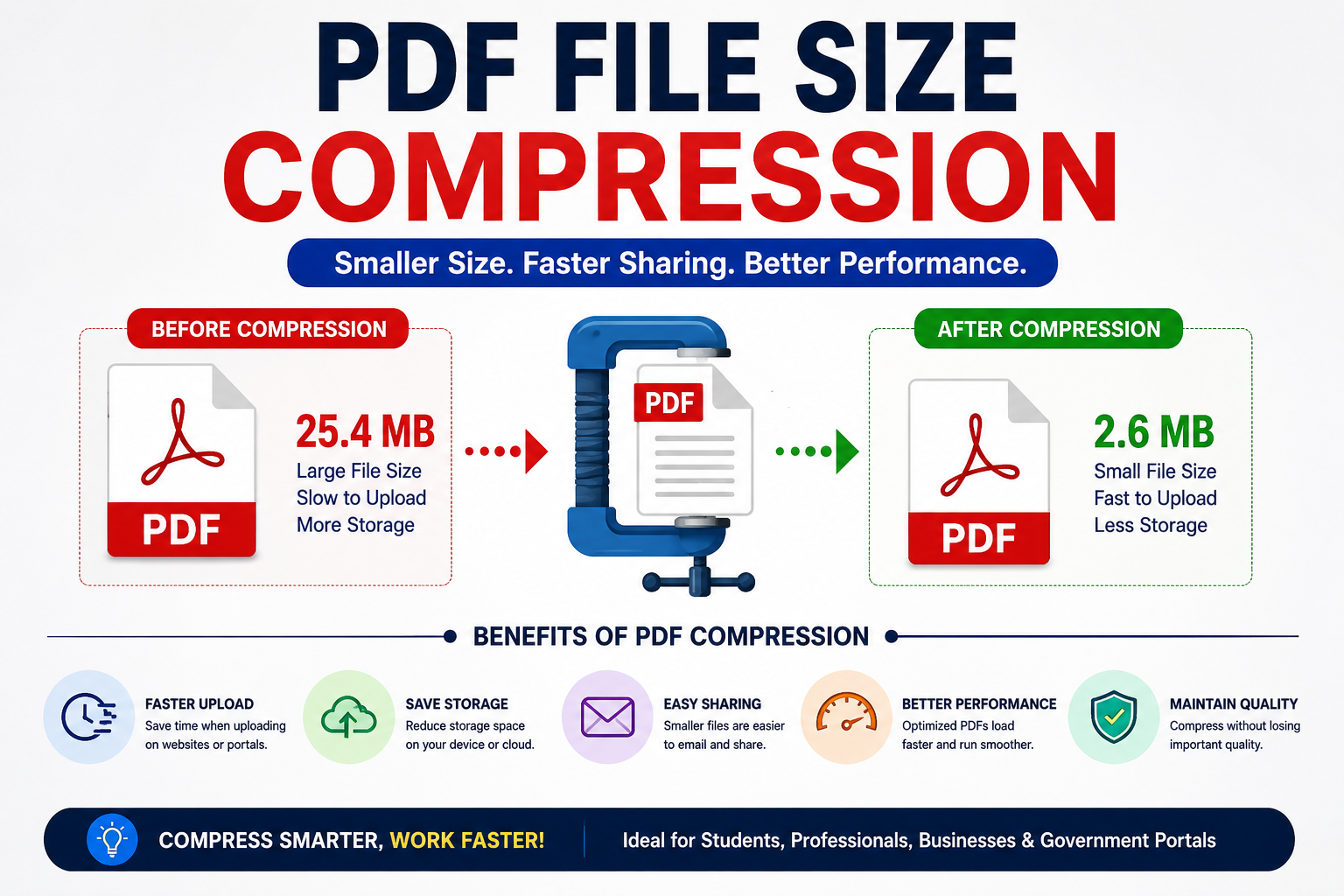
A government contractor needed to upload a 42 MB PDF into a procurement portal that accepted files no larger than 10 MB. The document contained engineering drawings, signatures, scanned approvals, photographs, and compliance certificates collected over several months. Nobody wanted to recreate it. Nobody wanted to split it into multiple files. The deadline was six hours away. What happened next is something I've seen more times than I can count. Someone opened a PDF compression tool, clicked a button, watched the file shrink to 8 MB, uploaded it successfully, and moved on. Then came the inevitable question.
"If the file became 80% smaller, where did all that data go?"
That's where PDF compression gets interesting. Most people assume compression works by deleting visible quality. Sometimes it does. But many of the largest reductions happen because PDFs contain a surprising amount of waste that users never see. I've reviewed enough document workflows to notice a pattern. The average PDF isn't bloated because of its content. It's bloated because of how that content was created.
A scanned document might contain a 600 DPI image even though the final file will only ever be viewed on a laptop screen. An office printer may embed full-color information into pages that appear black and white. A design application might store multiple copies of identical assets throughout the file. The user sees one document. The PDF sees a mountain of redundant information. Think of it like moving houses. You own one chair.
Unfortunately, you've packed fifteen photographs of the chair, six instruction manuals, three warranty cards, and multiple copies of assembly diagrams into separate boxes. The chair itself isn't the problem. Everything surrounding it is. PDF compression often starts by cleaning up those extra boxes. That's why dramatic reductions sometimes happen without any visible quality loss at all. Many people imagine compression as a visual process. In reality, it's often a data management process.
One of the biggest contributors is image optimization
A scanner captures an enormous amount of pixel information. Every pixel stores color values. Every page can contain millions of them. When dozens or hundreds of pages are involved, file sizes climb quickly. Here's the part most users never think about. https://oncepdf.com/compress-pdf
Human eyes have limits
A scanned signature displayed on a 24-inch monitor doesn't need the same amount of pixel information that a museum archive might require. The extra detail exists, but nobody viewing the document can realistically distinguish it. What vendors rarely mention is that many PDFs contain image resolutions far beyond their practical purpose. That's where compression tools quietly reclaim space. Imagine a warehouse filled with identical cardboard boxes. Each box contains a note saying "blue." Thousands of boxes. Same word. Same content.
Storing every box individually makes little sense. A smarter approach records the word once and keeps references to it. Modern compression techniques apply similar logic to repeated data patterns. The irony is hard to ignore. The larger a file becomes, the more opportunities often exist to shrink it. I've seen scanned construction reports reduced by more than 70% while remaining visually indistinguishable to project managers reviewing them on standard displays. People usually expect compression to destroy quality. Sometimes the opposite happens.
A poorly scanned document can contain random noise introduced by scanner sensors. Tiny specks. Unnecessary artifacts. Compression algorithms frequently remove this clutter because it contributes nothing useful to the final document. The result can look cleaner. That surprises people. The technical explanation revolves around how image information is stored and interpreted. Think of a digital image as a giant spreadsheet. The file becomes smaller. The visual result often stays unchanged. That sounds straightforward. Reality is usually messier. Not all PDFs behave the same way.
A text-heavy contract compresses differently from a marketing brochure. A CAD drawing behaves differently from a scanned passport. Medical imaging files follow different priorities entirely. Procurement teams run into the same problem repeatedly. They assume one compression setting fits everything. It doesn't.
A legal document containing mostly text can often shrink dramatically with virtually no visible impact. A graphic design portfolio may require much more careful handling because image fidelity directly affects the purpose of the document. This is where things become complicated. Many modern PDFs contain multiple layers.
Text
Images
Vector graphics
Metadata
Embedded fonts
Annotations
Hidden objects
Version history
Interactive elements
Most users only interact with the visible page. Compression tools examine everything. I've opened PDFs where embedded metadata consumed more space than the visible document itself. Nobody reviewing the file ever knew it existed. Nobody needed it. Yet it traveled with the document for years. And that's where file sizes start climbing. The pixel mechanics behind compression become easier to understand when viewed through a physical analogy. Imagine a mosaic wall made from millions of colored tiles. If ten thousand neighboring tiles are nearly identical shades of blue, you could describe them individually. Or you could simply say, "This entire section is approximately the same color."
The second description requires less information. The visual outcome remains almost identical. PDF compression uses variations of this idea constantly. Not because quality is being ignored. Because storage efficiency is being improved. This matters even more in current design trends. Raw web layouts, tactile brutalism, high-fidelity user interfaces, and 3D product presentations increasingly depend on large visual assets. Designers often export PDFs containing screenshots, renderings, layered artwork, and interface prototypes.
What looks simple on paper often becomes expensive in practice. A design review deck might contain hundreds of megabytes of hidden image data that nobody notices until sharing becomes difficult. Compression becomes less about saving disk space and more about maintaining workflow efficiency. I've watched teams waste hours emailing giant files back and forth when a properly optimized PDF would have solved the problem in minutes. There's another misconception worth challenging.
Many people assume "lossless" means nothing changes.
The storage method changes. The organization changes. The encoding changes. What remains unchanged is the user's ability to perceive a difference. That's a very different claim. And frankly, it's the one that matters. The uncomfortable reality is that most users don't need maximum image quality. They need practical quality. A procurement officer reviewing compliance paperwork. A government employee approving permits. A contractor submitting engineering documents. A client reviewing invoices. Their objective isn't pixel inspection. It's information access. That distinction drives nearly every successful compression strategy. The question isn't whether data can be reduced.
The question is whether the removed data was ever creating value in the first place.
Conclusion
As document volumes continue growing across government systems, enterprise platforms, digital archives, and cloud workflows, the organizations that manage PDF files effectively won't necessarily have better software.
They'll simply understand something many people still overlook: the biggest files aren't always carrying the most information.