How PDFs Help Web Developers Improve Documentation and User Experience
A customer couldn't complete a government application because the instructions on the website looked different from what appeared on their screen. The development team blamed the browser. The support team blamed the documentation. The client blamed everyone. Three days later, the problem wasn't the browser at all.
The instructions had been published as standard web content, and a recent interface update shifted several screenshots and formatting elements. What users saw no longer matched what the documentation described. The fix wasn't complicated. The team rebuilt the guide as a PDF.
That sounds almost boring in 2026. Yet I've reviewed enough web projects to notice a pattern. Whenever documentation becomes critical to business operations, somebody eventually rediscovers the value of PDFs.
For years, PDFs were treated as old technology
- Web applications became faster
- Documentation portals became interactive
- Knowledge bases expanded
- Product teams wanted everything online
Then reality showed up. A customer downloading a tax form doesn't care about modern documentation frameworks. They care about getting the right instructions.
A compliance officer doesn't care whether your content management system uses the latest architecture. They need proof that employees received the exact version of a policy document.
Documentation Looks Easy Until People Actually Use It
Most developers focus on functionality first. That's understandable. Users need authentication systems, dashboards, APIs, payment gateways, search functionality, and responsive layouts. Documentation usually arrives near the end of the project timeline, squeezed between testing and deployment. I've watched this happen repeatedly. Documentation gets treated like a content problem when it's actually a user experience problem.
A poorly documented application generates confusion. Confusion generates support requests. Support requests generate costs. The chain reaction is surprisingly expensive. One SaaS company I reviewed spent months optimizing server performance while support tickets continued climbing. After digging into customer feedback, the issue wasn't performance at all. Support volume dropped.
Not because the software changed. Because users finally understood how to use it. That distinction matters.
Why Developers Keep Returning to PDFs
Web pages change constantly. That's usually a strength. Sometimes it's a liability.
Imagine publishing developer documentation for an API integration. A design update changes
- typography
- navigation structure
- image placement,
- responsive layout
Nothing broke technically. Yet users suddenly struggle to follow implementation instructions because the documentation no longer appears exactly as it did during testing.
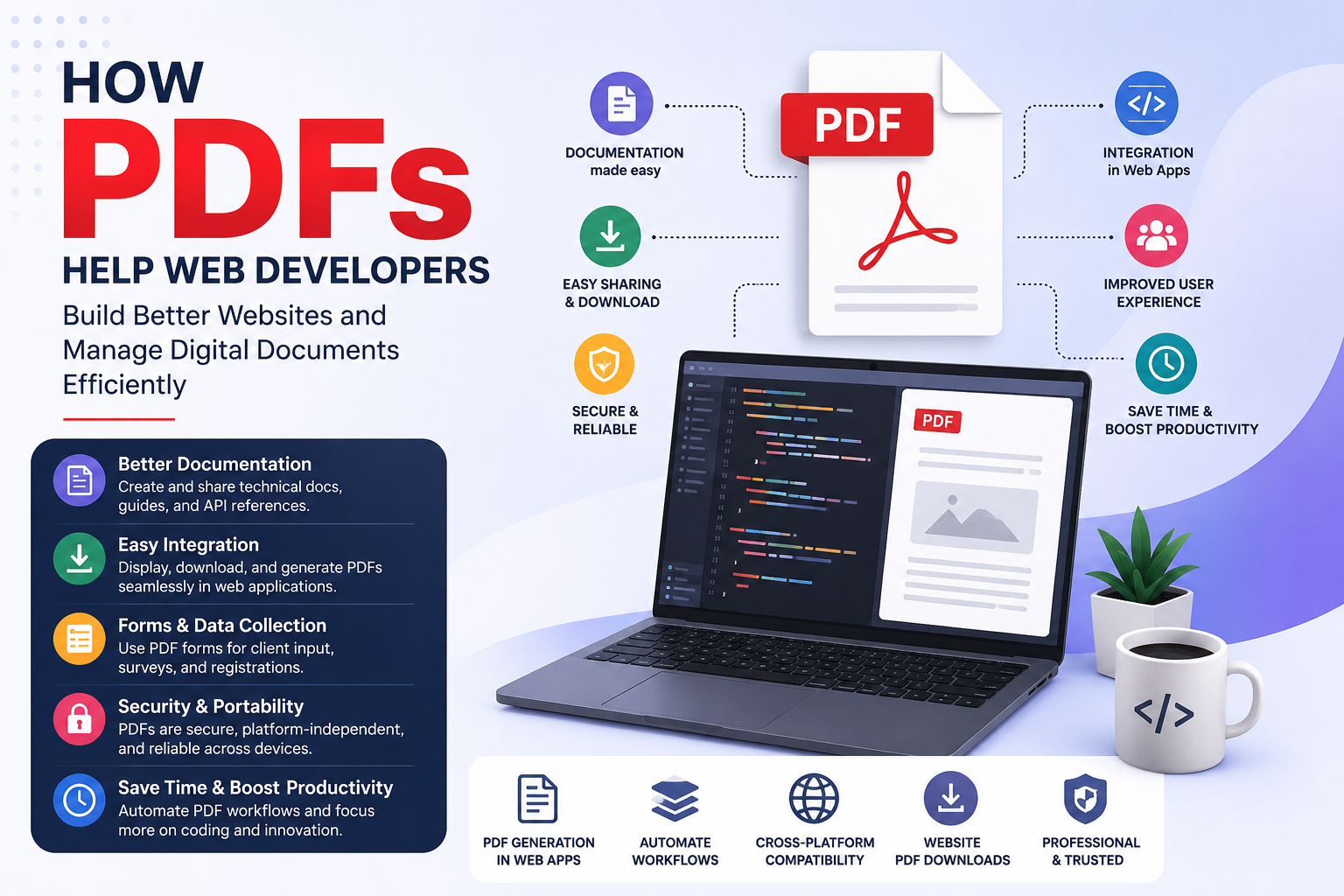
PDFs solve a different problem. They freeze information. What you publish is what users receive.
No browser extension changes the formatting. No screen size unexpectedly rearranges instructional content. No content block suddenly shifts because a stylesheet update introduced a conflict. That level of consistency becomes valuable when users are performing sensitive tasks.
Think about
- Banking applications
- Government submissions
- Legal agreements
- Technical setup instructions
- Compliance procedures
- Healthcare forms
The User Experience Benefit Nobody Talks About
Most UX discussions revolve around interfaces.
- Buttons
- Navigation
- Layouts
- Interaction patterns
Fair enough. But user experience doesn't end when somebody leaves a webpage. In many cases, the experience continues offline.
I've seen customers print instructions before beginning a complex software installation. I've watched field technicians carry PDF manuals into locations with unstable internet access. I've spoken with compliance teams that archive PDFs because regulators require exact records. Those users aren't interested in design awards. They're trying to complete a task. That's where PDFs quietly outperform many modern documentation systems.
The irony is hard to ignore. Companies spend thousands creating advanced documentation portals while users download a PDF and ignore the portal entirely. Not always. But often enough to notice.
What Vendors Rarely Mention About Documentation Platforms
Documentation platforms sell flexibility. PDFs sell predictability. Those are very different products. Flexibility sounds better during sales presentations. Predictability wins during operational failures. A platform vendor may showcase searchable databases, dynamic content blocks, AI assistants, and personalized user journeys. Then a customer asks for a downloadable version. Every single time.
Why?
Because organizations operate in messy environments. Employees switch devices. Internet connections fail. Contractors need portable instructions. The real world doesn't behave like a product demonstration. This creates an incentive nobody talks about. Even companies investing heavily in advanced documentation systems frequently maintain PDF versions in parallel. Not because they love PDFs. Because users keep demanding them.
The Technical Side Developers Often Overlook
Here's something interesting. Documentation isn't only information. When a guide displays broken formatting, missing images, inconsistent spacing, or unpredictable layouts, confidence drops. Sometimes dramatically.
A PDF creates a controlled environment. Every heading appears where expected. Every screenshot remains aligned. Every table maintains structure. Every page follows the intended reading flow. That consistency reduces cognitive friction. Users spend less energy figuring out the documentation and more energy completing the task. Sounds obvious. Yet many development teams spend months refining application interfaces while neglecting the content explaining how the application works. I've never understood that imbalance.
PDFs and Modern Web Design Aren't Competitors
Some people still frame this as a battle. Website versus PDF. Interactive versus static. Modern versus old. Reality tends to look different.
The strongest digital experiences usually combine both. The website handles interaction. The PDF handles permanence. The website enables exploration.
That's especially visible in sectors where accuracy matters more than engagement metrics.
Government portals still distribute PDFs
Financial institutions still distribute PDFs
Healthcare systems still distribute PDFs
Universities still distribute PDFs
There's a reason. Actually, there are dozens of reasons. Most of them emerge only after systems reach scale.
What Changes in 2026
Documentation expectations are becoming more demanding. Users want instant answers. They also want downloadable references.
Developers are integrating AI assistants into documentation systems, yet many organizations continue generating PDF exports for training, compliance, onboarding, and record keeping. That isn't a contradiction. It's adaptation. AI helps users discover information. PDFs help users preserve information.
Different jobs.
Different strengths.
Conclusion
The mistake is assuming one replaces the other. I've watched enough digital transformation projects to know how that story usually ends. Teams chase the newest documentation trend, remove the formats users actually depend on, and then spend the next year rebuilding what they eliminated. The difficult question facing web developers isn't whether PDFs remain relevant. It's whether teams will remember their value before users remind them again.