How PDFs Streamline Daily Work in Government Offices
The complaint landed before lunch. A citizen had uploaded the same application three times through a government portal. Every upload failed. The file wasn't corrupted. The internet connection wasn't the problem. The issue turned out to be a scanned document exported as a collection of oversized image files that pushed the upload size beyond the portal's limit.
That small incident consumed nearly half a day across multiple desks.
I've seen versions of this story repeat in different government departments.
- Revenue offices
- Municipal corporations
- Land registration units
- Scholarship processing centers
- Pension departments
Different buildings. Same pattern.
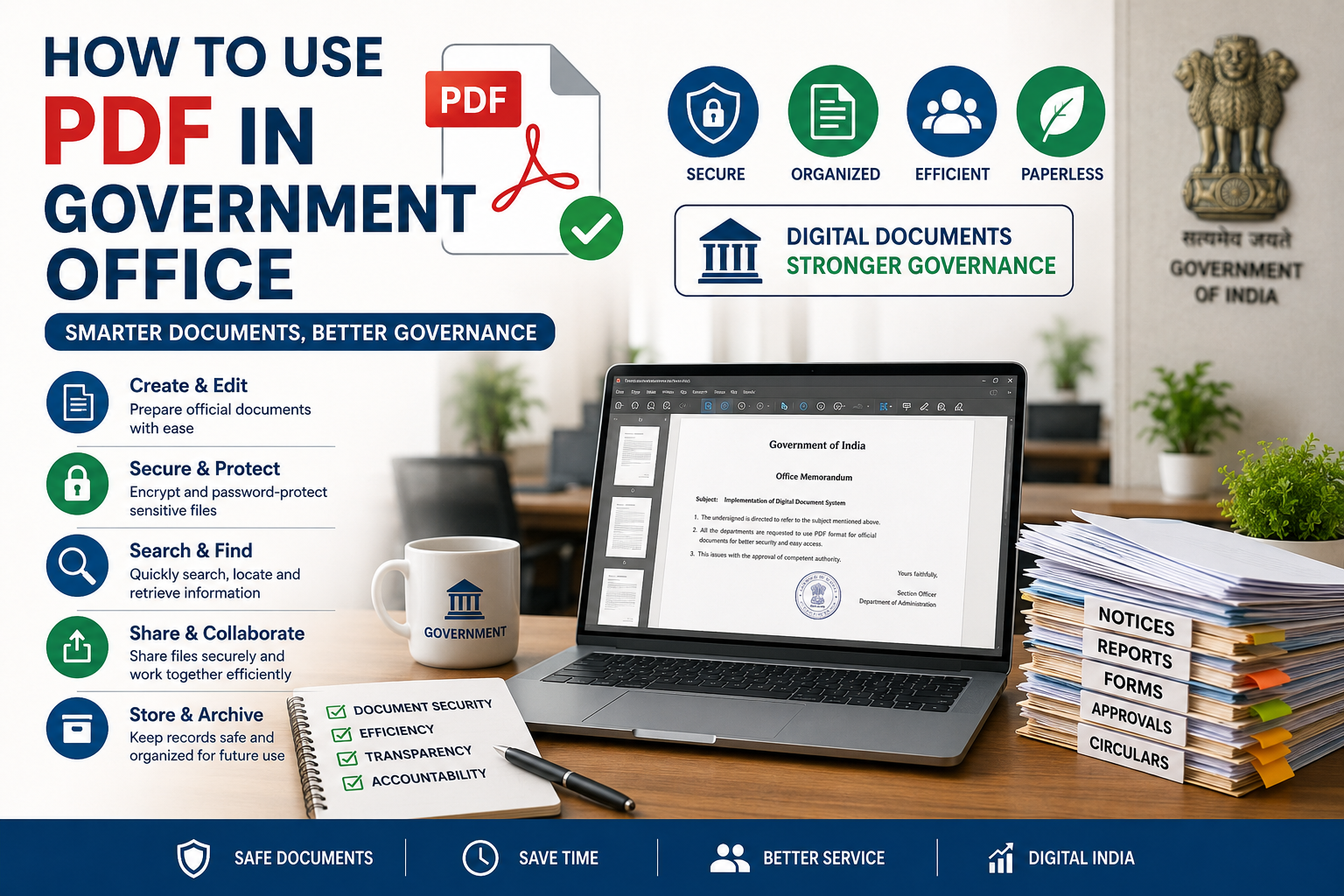
Most outsiders assume government offices are buried under paperwork because they are resistant to technology. Reality tends to look different. The real challenge is managing enormous volumes of records that must remain readable, searchable, legally valid, and accessible years after they were created. That's where PDFs quietly became one of the most important operational tools inside public administration.
Not because they're exciting.
Not because they're modern. https://oncepdf.com/edit-pdf
Because they solve problems that government offices face every single day.
The Format Nobody Talks About Until Something Breaks
A procurement team might spend months discussing software platforms, workflow systems, cloud infrastructure, and cybersecurity controls. Yet when an employee sends a file to another department, the success of that transaction often depends on something much simpler.
Will the document open correctly?
That sounds obvious. It isn't. Government offices exchange files across departments running different operating systems, different software versions, and sometimes hardware old enough to surprise most IT consultants. A document that appears perfectly formatted on one machine can look completely different elsewhere. PDFs largely remove that uncertainty.
I've reviewed enough digitization projects to notice a pattern. Staff members rarely appreciate document consistency until they lose it. The first time an official order appears with shifted tables, missing signatures, or broken formatting, priorities change very quickly. The irony is hard to ignore.
Why Government Employees Actually Prefer PDFs
Many technology discussions focus on software features. Employees focus on survival. There is a difference. A clerk processing hundreds of files isn't interested in document innovation. They're interested in opening a file, verifying information, forwarding it, and moving to the next case without creating additional work. PDFs reduce uncertainty. That matters more than people realize.
Consider a district office handling land ownership applications. Multiple stakeholders may review the same file:
* Applicant
* Village administrative officer
* Revenue inspector
* Survey department
* District administration
* Legal review teams
Every modification creates risk. Every version introduces confusion. Every format conversion creates opportunities for mistakes. A fixed-format PDF acts like a frozen snapshot. The content remains stable while moving through a chain of approvals. What looks simple on paper often becomes expensive in practice when that stability disappears.
The Hidden Cost of Document Chaos
Most discussions about government digitization focus on software procurement. The bigger expense often arrives later. Document management failures rarely make headlines, yet they quietly consume enormous amounts of labor.
Missing attachment, An unreadable scan, A corrupted file, A mismatched version, A rejected upload. None of these sound dramatic individually. Collectively, they create thousands of hours of unnecessary administrative work.
I've spoken with staff members who spend surprising amounts of time simply verifying whether the latest document is actually the latest document. Think about that for a moment. Highly trained employees aren't making decisions. They're chasing files.
PDFs help because they create a standardized container that behaves predictably. Predictability is underrated. Government operations depend on it.
Why File Compression Became a Daily Necessity
Ask employees what frustrates citizens most during online submissions. Large file errors will appear near the top of the list. Many government portals were designed around practical constraints. Bandwidth limitations still exist. Storage costs still matter. Millions of uploaded documents accumulate quickly.
The result?
A single application attachment can become larger than the entire submission package needs to be. This creates an incentive nobody talks about. Government offices increasingly depend on PDF compression tools not because they want smaller files, but because they need systems capable of processing massive document volumes without constant infrastructure expansions. On paper, storage seems cheap.
Reality tends to look different when you're responsible for preserving records across years, departments, audits, and legal retention requirements.
Searchability Changes Everything
Paper archives have a physical limit. Digital archives have a different problem. Finding information. A room full of folders is difficult to search. A poorly organized digital archive can be just as frustrating. The uncomfortable reality is that many early digitization initiatives focused on scanning rather than information retrieval.
Boxes became folders.
Paper became images.
The inefficiency remained. Searchable PDFs changed that equation. A keyword search that takes seconds today might have required hours of manual review in older filing systems. Most executives discover this too late. They invest heavily in document capture while underestimating document retrieval. Employees notice immediately. Nobody enjoys hunting for a file created seven years ago during an audit review.
Digital Signatures Changed Administrative Workflows
Approval chains used to move physically. Documents traveled. People waited. Files sat on desks. Deadlines slipped. Then the real problem appears.
Modern government operations increasingly involve remote reviews, distributed teams, regional offices, and digital service delivery expectations from citizens. Digital signatures embedded within PDFs help eliminate many of the delays associated with physical document movement. Not all departments adopted them at the same pace. Not all implementations worked smoothly. Technology rarely fails because of technology alone. People, procedures, compliance requirements, and organizational habits usually have something to do with it.
The Pixel Problem Nobody Notices
A scanned PDF isn't simply a picture of a document. Every page contains pixel information that must remain readable after compression, transfer, storage, and viewing. Think of pixels like tiles on a large floor. Reduce too many tiles and details disappear. Keep too many and the floor becomes unnecessarily expensive to build and maintain. Government offices constantly balance this trade-off. A land survey map requires different image quality than a routine application form. A legal affidavit requires different preservation standards than a utility bill attachment.
That's becoming even more relevant as modern design trends push toward high-fidelity interfaces, layered digital records, and visually rich citizen service platforms. The challenge isn't creating beautiful documents. The challenge is creating documents that remain usable ten years later. Those are very different goals.
PDFs Are Boring That's Why They Work
Technology vendors like discussing innovation. Government administrators often care more about reliability. The two priorities don't always align. I've watched departments modernize entire workflows while keeping PDFs at the center of their operations. Not because alternatives don't exist. Because predictability still wins.
Conclusion
And as governments continue expanding digital services, automating approvals, digitizing archives, and moving more citizen interactions online, the real challenge may not be finding the next document format.
It may be deciding whether any replacement can survive the same combination of legal scrutiny, operational pressure, budget constraints, legacy infrastructure, and public accountability that PDFs quietly handle every single day.