The Hidden Disadvantages of PDF Files Most Users Ignore
The complaint landed on my desk at 4:45 PM on a Friday.
A government department had just rejected thousands of submitted forms because the PDFs looked perfectly normal on the sender's computers but displayed corrupted fields on the receiving system. Deadlines were missed. Staff worked through the weekend. Nobody had planned for that possibility because, frankly, most people assume a PDF is a PDF.
PDF files have spent years building a reputation as the safest, most reliable document format available. Ask almost anyone why they use PDFs and you'll hear the same answers. They preserve formatting. They look professional. They work everywhere.
Mostly.
What people rarely discuss is the gap between the promise of PDF files and the reality of how they're used in business, education, government, and everyday workflows.
I've reviewed enough document management projects to notice a pattern. The biggest PDF problems rarely appear when creating a file. They appear months later when somebody tries to edit it, extract information from it, search it, archive it, migrate it, or integrate it into another system.
That's where the story changes.
The Illusion of Permanence
Many users think PDF files are future-proof.
That sounds reasonable.
After all, PDFs have existed for decades and remain one of the most widely accepted document formats in the world.
Reality is usually messier.
I've seen organizations discover that old PDFs contained embedded fonts that no longer rendered correctly after system upgrades. I've seen archived reports lose functionality because interactive elements stopped working. I've watched legal teams spend hours validating documents that nobody expected would require maintenance years later.
The irony is difficult to ignore.
People choose PDFs because they expect stability, yet long-term document preservation often requires active management.
A PDF stored for ten years isn't necessarily the same PDF that will behave properly ten years later.
Most executives discover this too late.
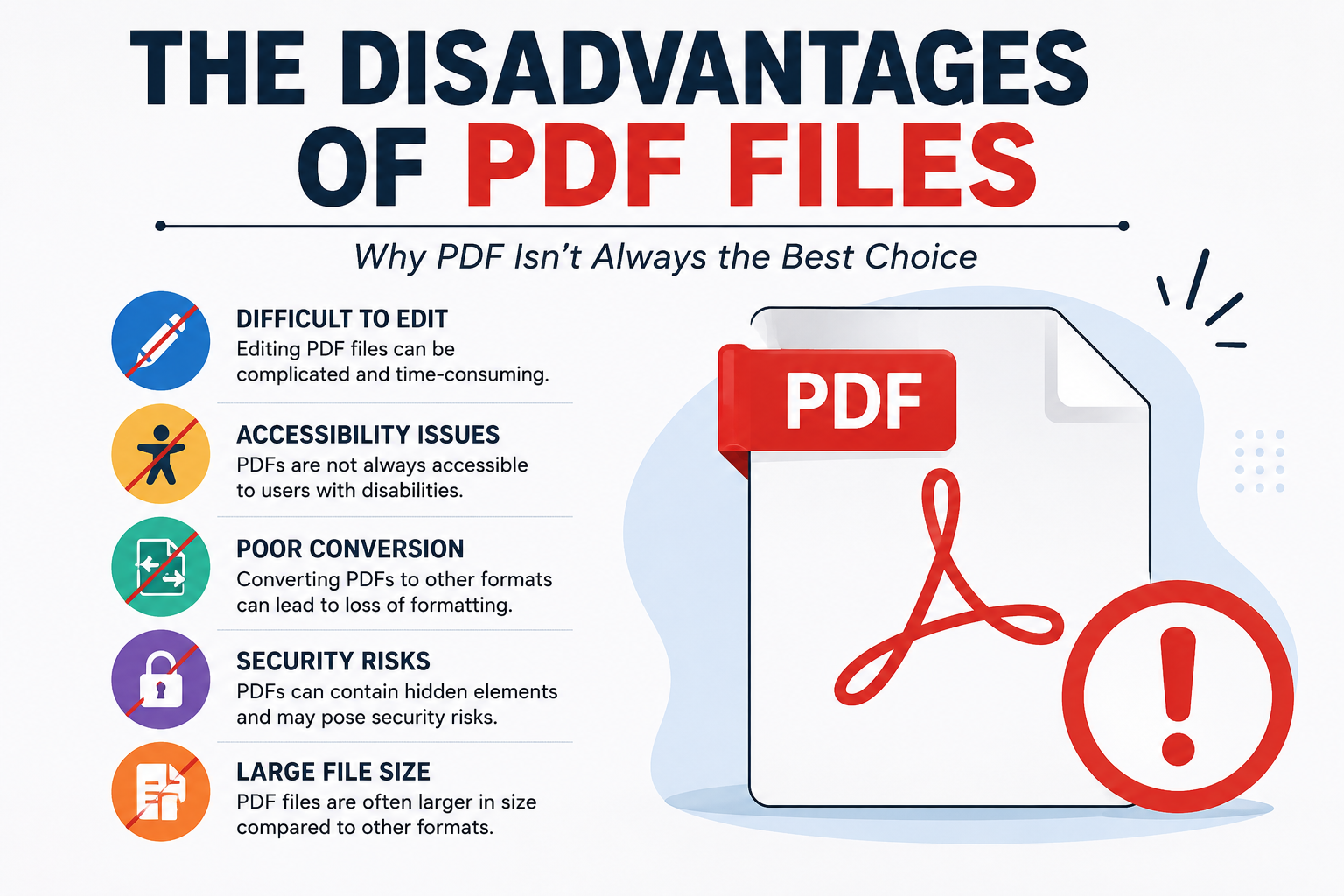
Editing Becomes Expensive Faster Than Expected
Word documents invite modification.
PDFs resist it.
That resistance is often considered a strength. Sometimes it is. Sometimes it becomes an operational headache.
A contract changes.
A pricing table needs updating.
A regulatory statement requires revision.
Suddenly a document that took seconds to create becomes surprisingly difficult to modify.
I've watched companies recreate entire documents from scratch because the original source files disappeared. The PDF survived. The editable version didn't.
What looked like a secure archive turned into a reconstruction project.
Procurement teams run into this problem repeatedly when vendors provide only finalized PDFs while withholding source documents. Months later, somebody needs a small change.
Small changes become large invoices.
Searchability Is Far Less Reliable Than People Assume
Here's something most users never think about.
Not all PDFs actually contain searchable text.
Many PDFs are simply images wrapped inside a PDF container.
A scanned invoice may look identical to a searchable invoice.
The difference becomes obvious only when someone attempts to locate information across thousands of files.
Nothing appears.
No results.
No matches.
Now imagine an accounts department searching five years of records during an audit.
I've seen employees manually open hundreds of files because OCR processing was skipped during document digitization projects. Nobody notices the problem when scanning documents. Everybody notices it when information is needed urgently.
The timing couldn't be worse.
The Hidden Cost of Compliance
Compliance teams often trust PDFs because regulators trust PDFs.
That relationship creates a false sense of security.
The file format itself doesn't guarantee compliance. The processes surrounding it do.
This is where things become complicated.
A PDF can contain hidden metadata.
It can contain revision traces.
It can contain author information.
It can contain timestamps nobody intended to share.
I've reviewed situations where organizations believed sensitive information had been removed, only to discover that portions remained accessible through metadata extraction tools.
On paper, the document looked clean.
The underlying file told a different story.
That's not a software problem.
That's a human process problem disguised as a file format issue.
Why PDFs Struggle in Modern Workflows
Businesses increasingly talk about automation.
Yet PDF files frequently sit directly in automation's path.
Structured databases communicate efficiently.
APIs communicate efficiently.
Machine-readable data communicates efficiently.
PDFs often do not.
Information trapped inside visual layouts forces organizations to invest in extraction tools, OCR engines, validation systems, and human review processes.
I've sat in meetings where executives approved six-figure automation budgets only to discover that the real bottleneck wasn't software.
It was PDFs.
The documents contained the information.
The systems couldn't reliably access it.
That's a frustrating problem because the data technically exists.
It just isn't available in a practical form.
The User Experience Nobody Talks About
Open a PDF on a large desktop monitor.
Everything looks fine.
Open the same file on a smartphone.
Different story.
Tiny text.
Awkward zooming.
Constant scrolling.
Broken form experiences.
Mobile devices dominate modern internet usage, yet many PDF workflows still feel designed for office desktops from a different era.
I've watched customers abandon applications midway simply because the attached PDF became difficult to read on a phone.
Nobody blamed the PDF.
The conversion rate still dropped.
The business outcome remained the same.
Think of a PDF like a photograph of a document rather than the living document itself.
The layout becomes fixed.
The structure becomes rigid.
That's excellent for preserving appearance.
It isn't always excellent for adapting content.
PDFs generally don't.
The file remains committed to preserving what was originally designed.
That strength becomes a weakness the moment adaptability becomes more valuable than consistency.
And that happens more often than many users expect.
The Security Myth
People often assume PDFs are secure because they can be password protected.
That belief deserves scrutiny.
Password protection helps.
It's not magic.
Security failures involving PDFs usually occur because people trust the format more than the surrounding process.
I've seen confidential PDFs forwarded accidentally.
I've seen passwords shared through email.
I've seen sensitive reports printed and left unattended.
The file format wasn't responsible.
Human behavior was.
Yet PDFs often receive credit for security outcomes they never actually controlled.
That's an uncomfortable reality.
What Vendors Rarely Mention
What vendors rarely mention is that PDF success depends heavily on context.
For distributing finalized documents, PDFs remain extremely useful.
For legal records, they often make sense.
For preserving visual consistency, they're hard to beat.
But users sometimes treat PDFs as universal solutions.
That's where trouble begins.
The moment documents need collaboration, automation, mobile adaptability, long-term maintenance, structured data extraction, rapid editing, or integration with modern business systems, the trade-offs become impossible to ignore.
I've seen organizations spend years optimizing around limitations they never questioned in the first place.
And as businesses continue pushing toward AI-driven workflows, searchable knowledge systems, automated compliance checks, and machine-readable operations, one uncomfortable question keeps surfacing in project meetings:
Will the document format that once solved information-sharing problems become one of the biggest obstacles to information itself?