Why PDF Version Compatibility Issues Happen and How to Fix Them
The complaint usually arrives at the worst possible moment. A contractor uploads a tender document to a government portal ten minutes before the submission deadline. The file opens perfectly on their computer. The signatures are visible. The formatting looks clean. Everything appears ready. Then the portal rejects it. The error message is vague. Sometimes it simply says "Invalid PDF." Other times it refuses the upload without explaining anything. Panic starts immediately because nobody changed the document after exporting it.
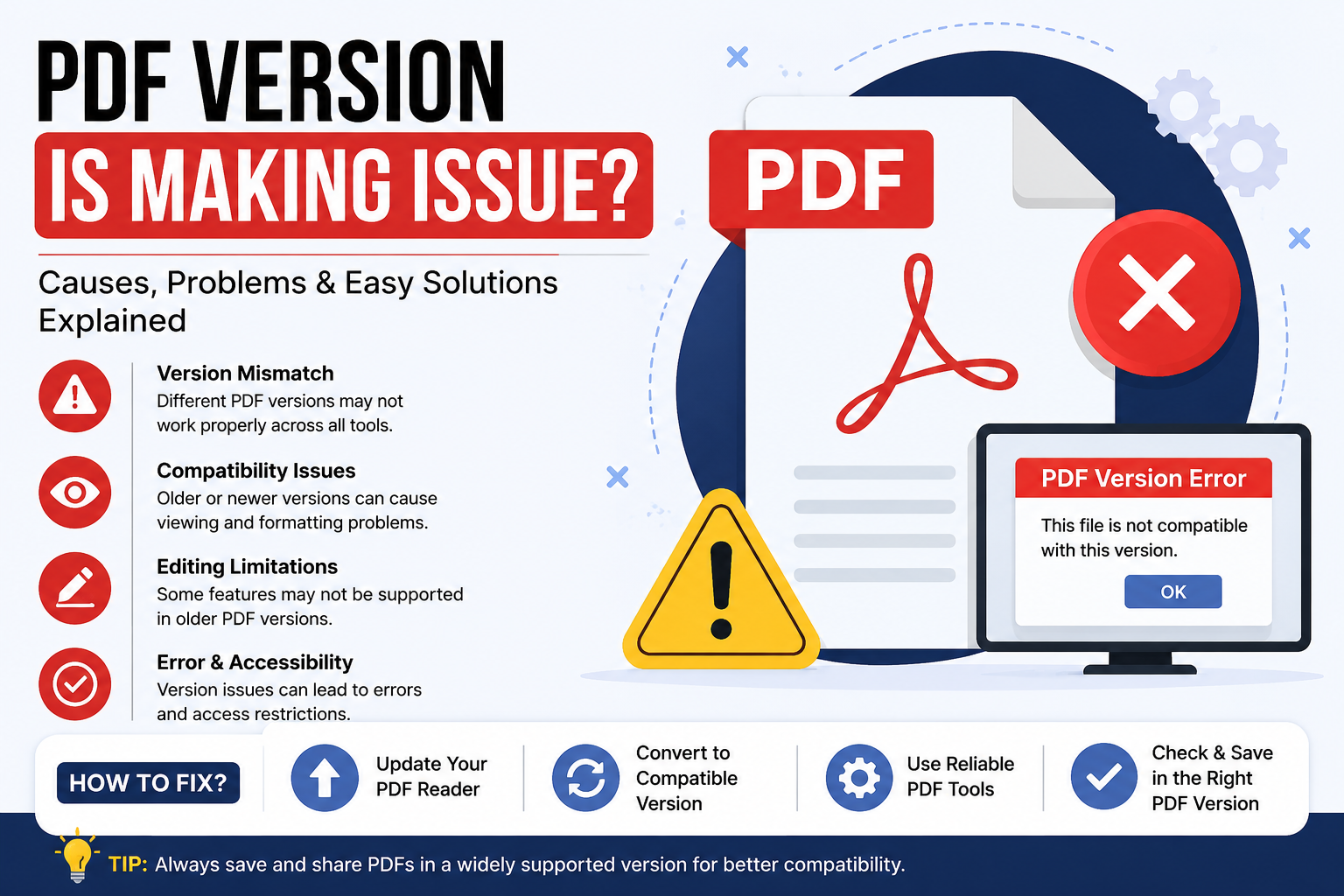
I've watched this happen more times than I can count. Most people assume a PDF is just a PDF. That's the first misunderstanding. The uncomfortable reality is that PDF files aren't all built the same way. Two documents may share the same .pdf extension while containing completely different internal structures, compression methods, security settings, embedded objects, and rendering instructions. That's where things become complicated.
A PDF created by a modern design application might contain features introduced years after an older viewer was developed. The document itself isn't broken. The software trying to read it simply doesn't understand some of the instructions inside the file. Think about it like handing a brand-new electric vehicle manual to a mechanic who only worked on diesel engines twenty years ago. The pages are there. The language is familiar. The details aren't. The file exists. The compatibility doesn't. I've reviewed enough document workflows to notice a pattern. Most compatibility problems appear long before users ever see an error message.
The trouble often starts during document creation
Why would they? Three weeks later, a client using an older viewer calls support because images are missing and certain fonts look distorted. Now everyone starts blaming the PDF. The PDF usually isn't the real problem.
The mismatch is
On paper, that sounds reasonable. Reality tends to look different
- Government portals
- banking systems
- insurance platforms
- court filing systems
- internal enterprise
Applications frequently run on older infrastructure. Upgrading those systems isn't as simple as clicking an update button. Budget approvals take time. Compliance reviews take time. Security audits take time. Meanwhile, the software ecosystem keeps moving forward.
This creates an incentive nobody talks about. Large organizations often prioritize stability over innovation. A system that works reliably for ten years may be preferred over a modern replacement that introduces new risks. Users rarely see that side of the story. They only see the rejection message. Another common source of compatibility trouble involves fonts. The technical explanation sounds simple enough. When a PDF is created, fonts can either be embedded inside the document or referenced externally. Then the real problem appears.
If the receiving computer doesn't have the required font installed and the font wasn't embedded during export, the viewer substitutes something else. A single substitution can shift line spacing, move page breaks, alter tables, and completely change the appearance of official documents.
I've seen legal contracts gain an extra page because of this. That sounds minor until somebody references "Page 14, Section 7" and the clause has moved. PDF transparency causes another headache. Modern design software uses transparency everywhere. Shadows, overlays, gradients, soft edges, and layered effects rely on it. Newer PDF standards handle these elements quite well.
Older systems don't always cooperate. What looks like a clean visual effect on a designer's screen may flatten incorrectly when processed through an outdated workflow. Images disappear. Objects merge unexpectedly. Certain elements print differently than they display. Most executives discover this too late. The document looked perfect during approval. The printed version told a different story. Compression methods create similar issues. Every organization wants smaller file sizes. Smaller files upload faster, consume less storage, and reduce bandwidth costs. Nobody argues with that. Yet aggressive compression settings sometimes introduce compatibility risks because older readers may not fully support newer compression techniques.
The irony is hard to ignore. People often optimize PDFs to improve usability and accidentally reduce compatibility. Security settings introduce another layer of confusion. Encryption standards have improved significantly over the years. That's good news from a security perspective. Not everybody benefits equally. A document protected using a modern encryption method may become inaccessible on older viewing software. Users interpret the failure as corruption even though the security mechanism is functioning exactly as intended.
The file isn't damaged
The software is outdated
This distinction matters
So how do experienced document managers avoid these problems?
Most don't chase the newest export setting available. They prioritize compatibility. When creating files intended for public distribution, government submissions, procurement systems, banking portals, or large enterprise environments, exporting to an older widely supported PDF version often reduces risk dramatically. That sounds backwards. Sometimes older standards are the safer choice. Font embedding should be treated as mandatory rather than optional. File sizes may increase slightly, but the reduction in formatting surprises is usually worth the trade-off. I've rarely seen anyone complain about a PDF being a few hundred kilobytes larger. I have seen organizations lose hours troubleshooting broken layouts.
Flattening transparency can also prevent unexpected rendering behavior. Designers sometimes resist this because it feels like sacrificing flexibility. They're not entirely wrong. Yet flexibility during editing becomes irrelevant once the document reaches a portal that refuses to process it correctly. Compatibility testing remains one of the most overlooked practices in document management. Teams often verify PDFs using the same software that created them. That test proves very little. The real question is whether the file survives contact with unfamiliar systems.
1. Open it elsewhere
2. Upload it somewhere
3. Print it from another machine
4. Try older viewers
What looks perfect in a controlled environment can fail immediately in the wild. That's the lesson hidden beneath most PDF compatibility complaints. The problem isn't usually the document itself. It's the assumption that every system reading that document speaks exactly the same language.
Conclusion
For years the industry has treated PDF as a universal format. In many ways it is. Yet every year new features enter the specification while thousands of legacy systems remain frozen in place, creating a widening gap between what modern software can create and what older infrastructure can understand. That gap isn't disappearing anytime soon, and the organizations that ignore it may continue discovering compatibility problems only when the deadline clock is already counting down.